●Elenqora · Registry & web
Follow the public record from any starting point
Registry & web is the part of Elenqora that starts outside the filings: from a registry number, a website, an address or an organisation name. It reads an evidence lake of company registries, court dockets, filings and web records, and shows how the records connect. It was the separate Elenqora Atlas; it now sits inside Elenqora, linked to each company's workspace.
Part of ElenqoraRegistry ID, website, address or name. LEI, UK company number, Singapore UEN, CIK, FIGI and ISIN all resolve.
Both ways. A company's own lake entity opens under its Outside sources; a lake entity with a CIK opens that company's workspace.
Subsidiaries and related parties stay separate entities, each link graded by what it rests on. Only an accepted match review joins two records.
Source, licence class and provenance on every row, on screen and in every export. Collection runs on request, inside a request cap.
One app, two ways in
The company workspace starts from an SEC filer. Registry & web starts from the public record. Both read the same sources and open into each other.
- STARTS FROM AN SEC FILERCompany workspacefilings · flags · peers · leads · courts · family · case file
- STARTS FROM A REGISTRY ID, WEBSITE, ADDRESS OR NAMERegistry & webregistries · groups · websites · addresses · match review
- BOTH INSIDE ELENQORALinked by CIK, both waysUnderneath both: SEC EDGAR, regulators, courts, company registries. Every fact keeps its source.
01Search
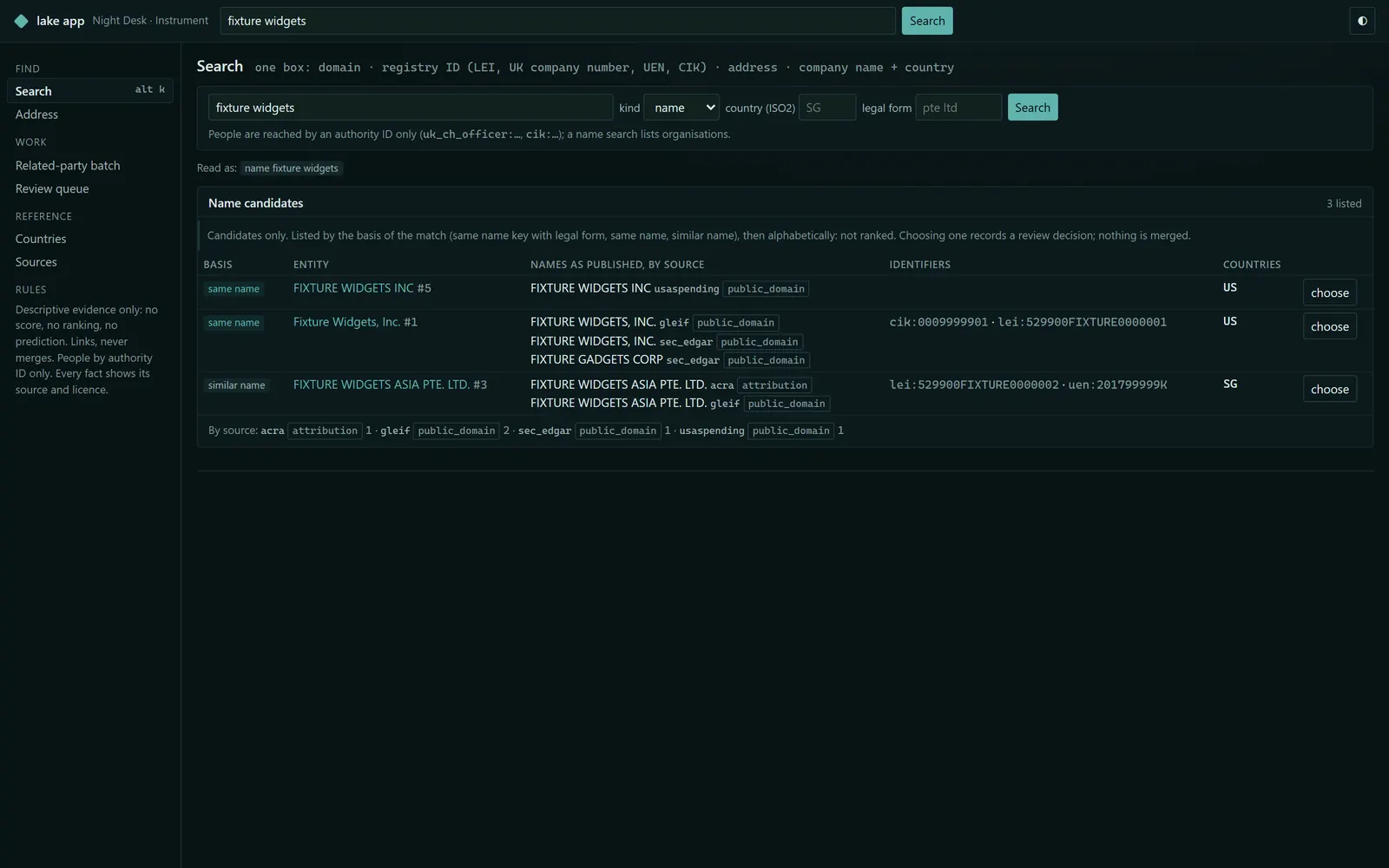
One box that reads the query every way it can
LiveType a registry number, a website, an address or an organisation name. An exact identifier opens the entity directly; a name returns candidates grouped by why they match, never ranked and never a guess. Organisations are searched by name; people never are.
02Entity
What each source says, side by side
LiveThe entity page lays out identifiers by source, names as each source published them, a dated timeline, SEC filings, court dockets, registry records, and sanctions and enforcement. A coverage strip shows what has been asked of each source, so an empty panel is never mistaken for a clean one.
When the entity carries a CIK, one click opens that company's workspace in Elenqora.
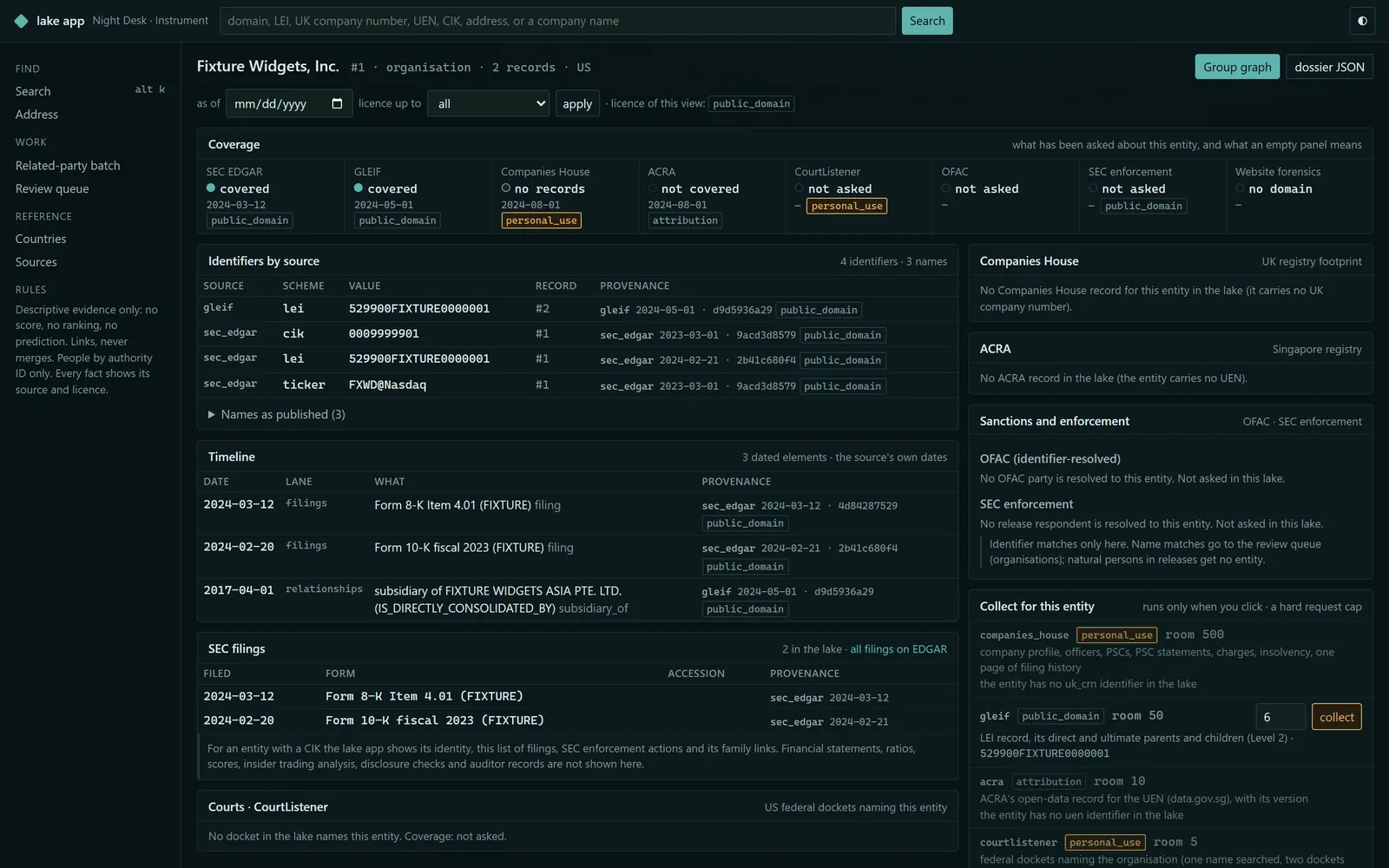
- 1Coverage strip: covered, not asked, or no records, per source.
- 2Every identifier with its source record, date and licence class.
03Group graph
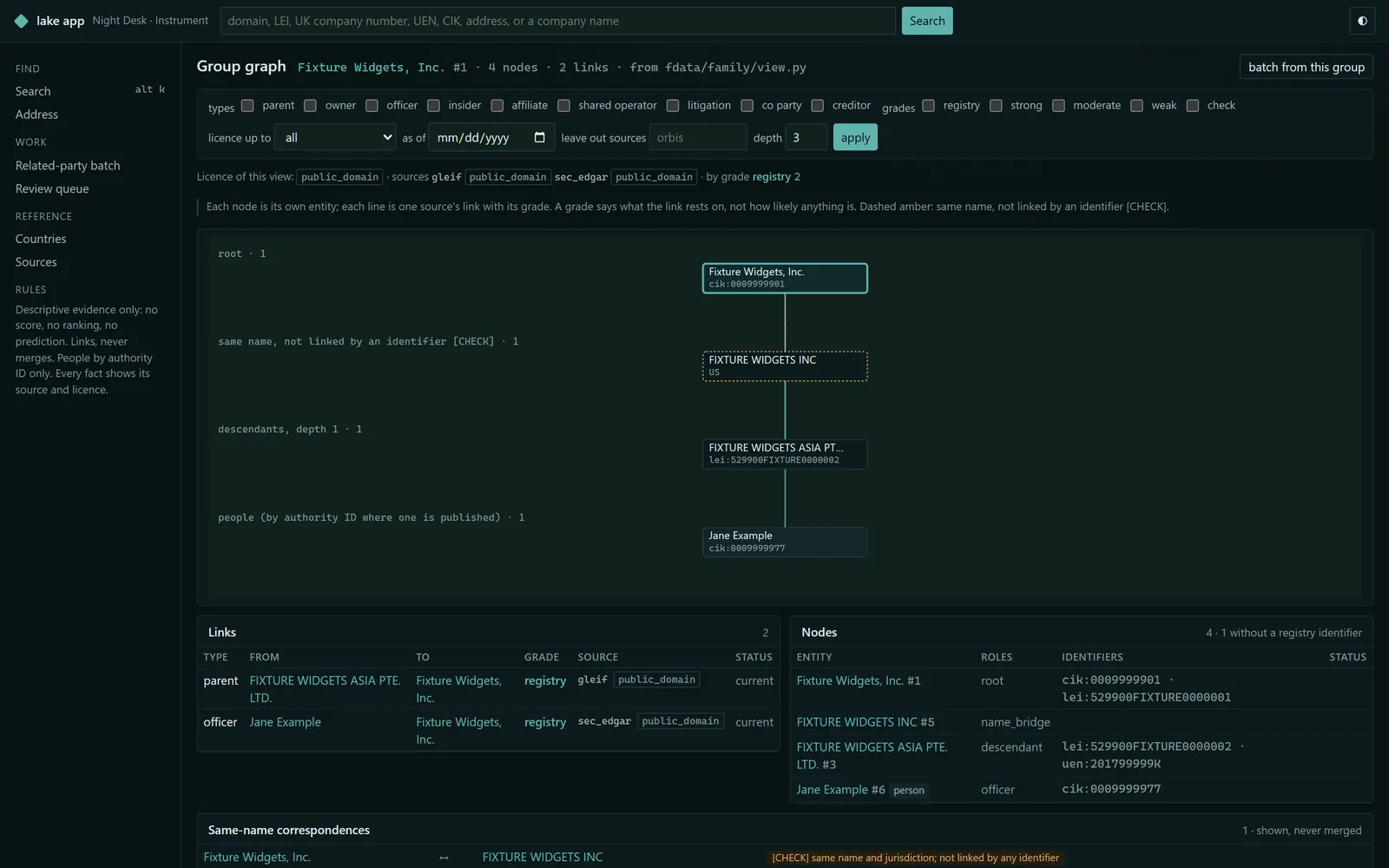
Corporate families as graded links
LiveParents, subsidiaries, officers and related parties appear as a graph. Each line is one source's link with its grade; a same-name match with no shared identifier is drawn apart and marked for checking. The same family feeds the company workspace's Corporate family and Courts across the family.
04Addresses, websites and batches
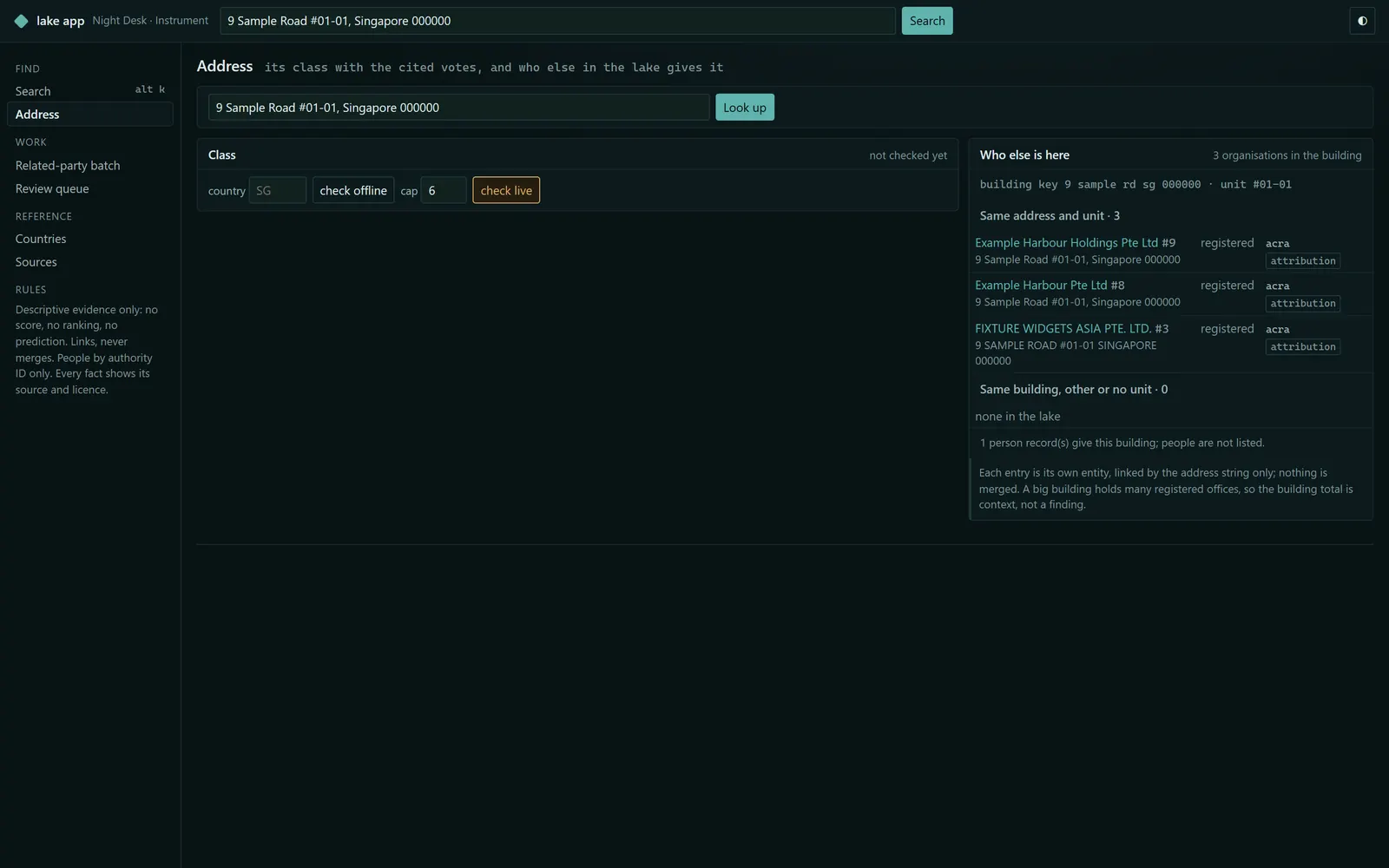
Who else is at this address, and who runs this website
LiveAn address lookup classifies the address with cited votes and lists the other organisations the lake places there; people are counted, not listed. A website page shows the entities that carry the domain and what the lake read about it. Related-party batches run a whole group of websites at once and produce an HTML, JSON or PDF report, with every personal-use row labelled.
What comes next
Map and site view
Facilities in context: satellite imagery, fire detections and haze.
Monitoring
Watch an entity or a group and see what changes.